Footer

    Download on the App StoreGet it on Google Play

    VoiceTube とは

    • VoiceTube について
    • 学習サービス紹介
    • 採用情報
    • よくある質問
    • ホットタグ

    サービス一覧

    • スピーキングチャレンジ
    • 保存
    • VoiceTube Hero
    • 法人向け VoiceTube
    • 単語検索
    • 動画をインポート
    • ブログ

    お勧めチャンネル

    レベル別

    • A1 初級
    • A2 初級
    • B1 中級
    • B2 中上級
    • C1 上級
    • C2 上級

    プライバシー˙規約˙
    ©2026 VoiceTube Corporation. All rights reserved

    aspect ratio

    US

    ・

    UK

    B2 中上級
    n.名詞アスペクト比
    The aspect ratio of this monitor is 16:9.

    動画字幕

    2018年、250ドルで買える最高のスマホ (The best $250 phone you can buy in 2018)

    04:212018年、250ドルで買える最高のスマホ (The best $250 phone you can buy in 2018)
    • The phone has a 5.7-inch full HD display with an 18:9 aspect ratio that nearly fills the front of the phone.

      まず、Moto G6は200ドルのスマホには見えません。

    • with an 18:9 aspect ratio

      アスペクト比18:9

    A2 初級

    Gemini「ナノバナナ」の画像生成におけるアスペクト比の問題を即座に解決する方法 (How to INSTANTLY Fix Gemini 'Nano Banana' Aspect Ratio Problems When Creating Images)

    07:36Gemini「ナノバナナ」の画像生成におけるアスペクト比の問題を即座に解決する方法 (How to INSTANTLY Fix Gemini 'Nano Banana' Aspect Ratio Problems When Creating Images)
    • Essentially it is difficult or maybe impossible to get the correct aspect ratio that is based on your prompt.

      基本的に、あなたのプロンプトに基づいた正しいアスペクト比を得るのは難しい、あるいは不可能かもしれない。

    • Essentially, it is difficult or maybe impossible to get the correct aspect ratio that is based on your prompt.

      基本的に、あなたのプロンプトに基づいた正しいアスペクト比を得るのは難しい、あるいは不可能かもしれない。

    B1 中級

    初心者向けFigmaオートレイアウトチュートリアル(2025年) (Figma Auto Layout Tutorial for Beginners (2025))

    08:51初心者向けFigmaオートレイアウトチュートリアル(2025年) (Figma Auto Layout Tutorial for Beginners (2025))
    • This arranges your elements vertically The third one is Horizontal It arranges your elements horizontally The fourth one is Grid This is a new update still in beta It allows you to edit the layout in a grid format We'll go over each of these in detail Don't worry, by the end of this video, you'll understand how to use every single button here Let us start with the Freeform setting You'll see W and H right below this button W stands for Width and H stands for Height You can use these fields to adjust the size of your element You can type in a number, hover over the letter and drag to change it Or do it the most organic way Hover over the edge of the element and drag until you see a number you like I like multiples of 4 To the right, you'll see a square icon If you click it, it locks the aspect ratio of the element So the width and height stay proportional Let's say you are redesigning a YouTube thumbnail A YouTube thumbnail has a specific aspect ratio So locking it can prevent your cat, your kid, and mostly you from messing it up One very, very important thing Make sure you select the right layer In a real design project, you'll have so many layers So if you want to lock the aspect ratio of this circle, let's say Make sure to select the circle, not the frame That way, your circle will stay perfectly as a circle Not too fat, not too short Below Width, you'll find a field to adjust the gap between elements This only appears in freeform mode when your elements share the same gap At the bottom, you'll see the clip content checkbox This is super helpful when your frame is smaller than the elements inside For example, in a carousel design Checking clip content will hide the parts of the elements that extend outside the frame Alright, next let's move on to vertical and horizontal layouts These two are really similar So let's take a look at the horizontal one When you select a horizontal layout A wrap icon will appear on the right If you click it, the elements inside the frame will automatically wrap into multiple rows Perfect for when there's not enough space in a single line Below that, you'll see width and height settings Each with a drop-down If you click the drop-down, you can set the size to hug This makes the frame automatically adjust to fit its contents For example, if you add a new circle to the frame The width will automatically expand to hug the new element You can also set minimum or maximum values for width and height Let's say you don't want the frame to be wider than 750 pixels Just set the max width to 750 And even if you add more elements, the frame won't go beyond that limit Right below width, you'll see nine alignment options for your elements inside the frame These let you align your content to the top, center, bottom, left, right Basically any corner or edge you want You might not notice much difference right now if your frame is hugging the elements But once the frame is bigger, this alignment will become very obvious Next is the gap setting Click the drop-down and you'll see an option to set it to auto This automatically adjusts the space between elements to fill the frame evenly So satisfying to see everything snap into place Below that are your padding settings Padding is the space between the edge of the frame and the element inside it By default, padding is applied equally on parallel sides But if you click the little toggle next to it, you can customize the padding for each side Just like this Next, let's move to grid A brand new and still in beta feature in Figma Alright, I have a love-hate relationship with this, okay?

      これは要素を縦に並べます。3つ目はHorizontal(横)です。これは要素を横に並べます。4つ目はGrid(グリッド)です。これはまだベータ版の新しいアップデートで、グリッド形式でレイアウトを編集できます、このボタンのすぐ下に、WとHがあります。 Wは幅、Hは高さを表します、YouTubeのサムネイルをデザインし直すとしましょう。YouTubeのサムネイルは特定の縦横比を持っています、フレームではなく、円を選択してください。そうすれば、円は円として完璧に保たれます。太すぎず、短すぎず。 幅の下には、要素

    • If you click it, it locks the aspect ratio of the element, so the width and height stay proportional.
    B1 中級

    ウィル・アーネット、スタンダップコメディ、『イズ・ディス・シング・オン?』、キャリアの振り返り (Will Arnett on Stand-Up Comedy, ‘Is This Thing On?,’ and Career Reflections)

    18:54ウィル・アーネット、スタンダップコメディ、『イズ・ディス・シング・オン?』、キャリアの振り返り (Will Arnett on Stand-Up Comedy, ‘Is This Thing On?,’ and Career Reflections)
    • All of that we chose that very specific 1/661 aspect ratio.

      毎年違う映画でこれをやっているように感じます。

    • All of that, you know, we chose that very specific one six, six, one aspect ratio.

      そのすべてが、私たちが選んだ非常に特殊な1.66対1のアスペクト比なんです。

    A2 初級

    Google Pixel 10A インプレッション:こんなの(今まで)見たことない (Google Pixel 10A Impressions: (Never) Seen This Before)

    08:31Google Pixel 10A インプレッション:こんなの(今まで)見たことない (Google Pixel 10A Impressions: (Never) Seen This Before)
    • So that pixel 10a's display is the same size, resolution, refresh rate, pixel density, aspect ratio, hole punch, fingerprint reader and everything.

      Pixel 10aのディスプレイは、サイズ、解像度、リフレッシュレート、ピクセル密度、アスペクト比、パンチホール、指紋リーダーなど、すべて同じです。

    • So that Pixel 10a's display is the same size, resolution, refresh rate, pixel density, aspect ratio, hole punch, fingerprint reader, and

      Pixel 10aのディスプレイは、サイズ、解像度、リフレッシュレート、ピクセル密度、アスペクト比、パンチホール、指紋リーダーなど、すべて同じです。

    B1 中級

    Nano Banana Proがインターネットを席巻!これだけでOKな完全ガイド (Nano Banana Pro Just Broke the INTERNET (The Only Guide You Need))

    07:36Nano Banana Proがインターネットを席巻!これだけでOKな完全ガイド (Nano Banana Pro Just Broke the INTERNET (The Only Guide You Need))
    • and how it can finally have native 2K outputs with the option to upscale those up to 4K, as well as the ability to finally resize your images to any aspect ratio.

      そして、ネイティブ2K出力を可能にし、それを4Kまでアップスケールするオプション、さらに画像を任意の縦横比にリサイズできる機能についても説明します。

    • as well as the ability to finally resize your images to any aspect ratio.
    B1 中級

    OpenAI DevDay 2025:サム・アルトマンによるオープニングキーノート (OpenAI DevDay 2025: Opening Keynote with Sam Altman)

    52:39OpenAI DevDay 2025:サム・アルトマンによるオープニングキーノート (OpenAI DevDay 2025: Opening Keynote with Sam Altman)
    • You get to control video length, aspect ratio, resolution, easily remix videos.

      ビデオの長さ、アスペクト比、解像度を制御し、ビデオを簡単にリミックスできます。

    • You get to control video length, aspect ratio, resolution, easily remix videos.
    A2 初級

    安っぽいドライブレコーダーに無駄遣いするのはもうやめよう (Please Stop WASTING Money on CRAPPY Dashcams)
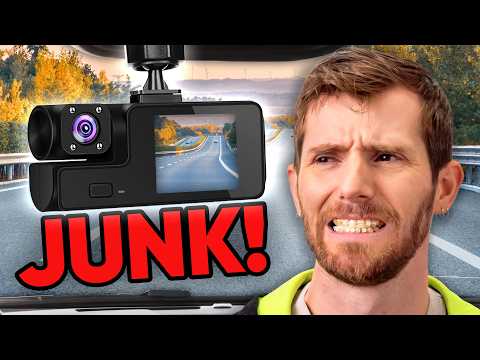
    18:27安っぽいドライブレコーダーに無駄遣いするのはもうやめよう (Please Stop WASTING Money on CRAPPY Dashcams)
    • The squarish 4.3 aspect ratio is probably going to be a love it or hate it thing, but

      四角い4.3のアスペクト比は、おそらく好きか嫌いかのどちらかになるでしょうが、

    • The squarish 4x3 aspect ratio is probably going to be a love-it-or-hate-it thing,

      そこでおすすめなのがThinkware U3000です。

    B1 中級

    Samsung Unpacked 2025年7月 (Samsung Unpacked July 2025)
    11:22Samsung Unpacked 2025年7月 (Samsung Unpacked July 2025)
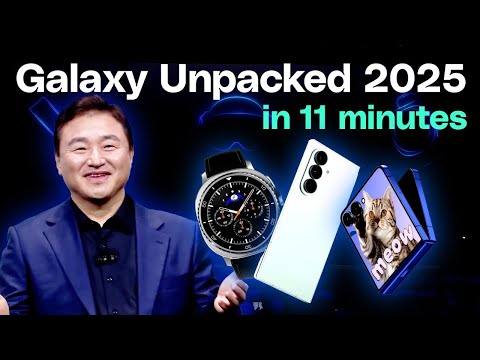
    • When open, the 6.9-inch display with a 21 by 9 aspect ratio offers a full-fledged bar-type phone experience.

      開いた状態では、アスペクト比21×9の6.9インチ・ディスプレイが本格的なバータイプの電話体験を提供する。

    • When open, the 6.9-inch display with the 21:9 aspect ratio offers a full-fledged bar-type phone experience.

      まったく新しいフレックス・ウィンドウを紹介しよう。

    B2 中上級

    シグマ BFレビュー:手軽な美しさ、しかし欠点も (Sigma BF review: effortless beauty, but flawed)
    11:23シグマ BFレビュー:手軽な美しさ、しかし欠点も (Sigma BF review: effortless beauty, but flawed)
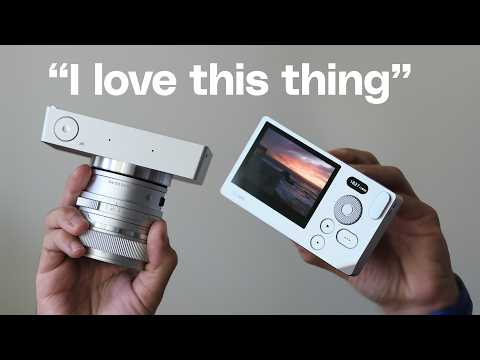
    • It made me rediscover my love for 21 by 9 aspect ratio and square photos.

      アスペクト比21×9の正方形の写真への愛を再発見させてくれた。

    • It made me rediscover my love for 21:9 aspect ratio and square photos.

      しかし、そうすれば簡単に露出を変えることができる。

    B1 中級