Footer

    Download on the App StoreGet it on Google Play

    VoiceTube とは

    • VoiceTube について
    • 学習サービス紹介
    • 採用情報
    • よくある質問
    • ホットタグ

    サービス一覧

    • スピーキングチャレンジ
    • 保存
    • VoiceTube Hero
    • 法人向け VoiceTube
    • 単語検索
    • 動画をインポート
    • ブログ

    お勧めチャンネル

    レベル別

    • A1 初級
    • A2 初級
    • B1 中級
    • B2 中上級
    • C1 上級
    • C2 上級

    プライバシー˙規約˙
    ©2026 VoiceTube Corporation. All rights reserved

    uploading

    US

    ・

    UK

    B1 中級
    v.t.他動詞アップロードしている
    I am uploading the new pictures onto Facebook

    動画字幕

    シェア必須!ミュージカル - リアルライフのミュージカル (Gotta Share! The Musical - Musicals In Real Life)
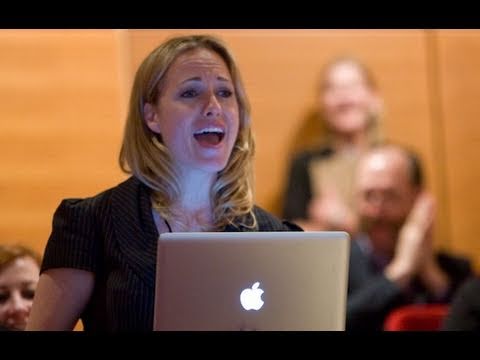
    03:20シェア必須!ミュージカル - リアルライフのミュージカル (Gotta Share! The Musical - Musicals In Real Life)
    • I spend all my fridays uploading pics to MySpace.

      金曜日はMySpaceに写真をアップロードしてるの

    • I spend all my Fridays uploading pics to MySpace.

      YouTube、Tumblr、Redditも。

    B1 中級

    【AI ニュース】NVIDIA CEOのジェンスン・フアンが語る!将来必要とされる能力は「これ」?

    11:35【AI ニュース】NVIDIA CEOのジェンスン・フアンが語る!将来必要とされる能力は「これ」?
    • but I want to make a promise that I will be uploading videos more consistently.

      また、2024 年にはどのようなアプローチをしますか?

    • I've been going through some personal stuff, but I want to make a promise that I will be uploading videos more consistently.

      この間、私事でいろいろあったんですが、これからはもっとコンスタントに動画をアップしていくことを約束したいと思います。

    B1 中級

    東京の300年続く武家屋敷庭園と東京タワー (Tokyo’s 300 Year Old Samurai Garden & Tokyo Tower)

    44:01東京の300年続く武家屋敷庭園と東京タワー (Tokyo’s 300 Year Old Samurai Garden & Tokyo Tower)
    • And one of the reasons the signal is not good in here is because there are a lot of cars with cell phones just sucking in all of the bandwidth for uploading and downloading.

      そして、ここで電波が良くない理由の一つは、携帯電話を持った車がたくさんいて、帯域幅をすべてアップロードとダウンロードに吸い取っているからです。

    • And one of the reasons the signal is not good in here is because there are a lot of cars with cell phones just sucking in all of the bandwidth for uploading and downloading.

      今、ちょうど新幹線の音が聞こえてきました。

    B1 中級

    YouTube著作権学校 (YouTube Copyright School)

    04:39YouTube著作権学校 (YouTube Copyright School)
    • Uploading someone else's content without permission could get you into a lot of trouble --

      他人のコンテンツを許可なく アップロードすると大変なことになるよ

    • Uploading someone else's content without permission could get you into a lot of trouble.

      著作権を侵害してしまうかもしれない...

    B2 中上級

    日本の我が家のルームツアー! (Our Japanese apartment tour!)
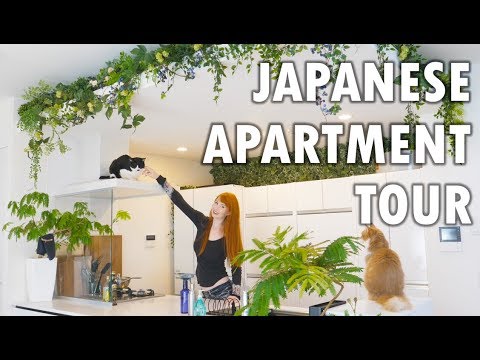
    17:24日本の我が家のルームツアー! (Our Japanese apartment tour!)
    • So instead of uploading videos every week like a normal YouTuber and making a normal living, I just wanted to make one video after 3 months, which is not a smart decision.

      だから、普通のYouTuberのように毎週動画をアップして普通の生活を送る代わりに、3ヶ月後に1本の動画を作ることにしました。これは賢明な決断ではありませんでしたね。

    • So instead of uploading videos every week like a normal YouTuber and making a normal living, I just wanted to make one video after 3 months, which was not a smart decision.

      だから、普通のYouTuberのように毎週動画をアップして普通の生活を送る代わりに、3ヶ月後に1本の動画を作ることにしました。これは賢明な決断ではありませんでしたね。

    A2 初級

    マインドをアップロードして永遠に生きることはできるのか? (Can You Upload Your Mind & Live Forever?)

    14:34マインドをアップロードして永遠に生きることはできるのか? (Can You Upload Your Mind & Live Forever?)
    • With the breathtaking explosion of innovation and progress, for the first time the concept of leaving our flesh piles behind and uploading our minds into a digital utopia seems possible, even like the logical next step on our evolutionary ladder.

      息をのむような技術革新と進歩の爆発によって、肉体の山を捨て、デジタル・ユートピアに心をアップロードするというコンセプトが初めて可能になった。

    • With the breathtaking explosion of innovation and progress, for the first time the concept of leaving our flesh piles behind and uploading our minds into a digital utopia seems possible.

      マインドという言葉を定義するのは本当に難しい。

    B1 中級

    YouTubeを辞めた理由 - グレイス・ヘルビッグ (Why I Walked Away From YouTube - Grace Helbig)
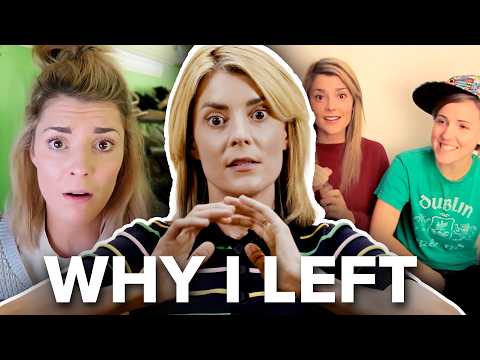
    12:26YouTubeを辞めた理由 - グレイス・ヘルビッグ (Why I Walked Away From YouTube - Grace Helbig)
    • By all extents and purposes, the channel looked like I was an independent creator just on my own free will, uploading five videos a week like a fucking maniac.

      私は Daily Grace です。

    • I was uploading to the back end so I could see how much money the channel was making and how much I was actually getting paid on a monthly basis.

      というわけで2010年、私は YouTube で Daily Grace の動画を投稿し始めました。

    B1 中級

    京都へ帰還 🏯 (BACK in KYOTO 🏯)

    11:14京都へ帰還 🏯 (BACK in KYOTO 🏯)
    • Um, also, I have to say I'm glad that, you know, I started uploading again, not just because, you know, I want to make videos,

      あー、これ欲しい。

    • Uh, just because I haven't really been uploading that many videos.

      彼らは私が日本で会った中で、本当に一番、一番親切で、一番誠実な人たちなんです。

    A2 初級

    日本の夫から「タコベル」ラブレターが届いた❤️🌮 | Japan Vlog #1 (My Japanese Husband Sent me a "Taco Bell" Love Letter ❤️🌮| Japan Vlog #1)
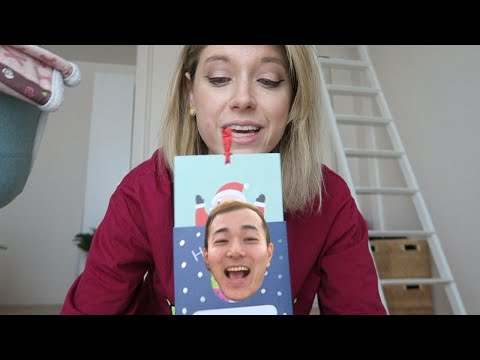
    18:17日本の夫から「タコベル」ラブレターが届いた❤️🌮 | Japan Vlog #1 (My Japanese Husband Sent me a "Taco Bell" Love Letter ❤️🌮| Japan Vlog #1)
    • I'm going to be uploading a new blog post and an Instagram post and, you know, just doing some work today,

      そして、それらのすべてに対処する必要があります。

    • I'm going to be uploading a blog post and an Instagram post and, you know, just doing some work today.

      今日はブログ記事とインスタグラムの投稿をアップロードして、作業をするつもりです。

    A2 初級

    Gemini「ナノバナナ」の画像生成におけるアスペクト比の問題を即座に解決する方法 (How to INSTANTLY Fix Gemini 'Nano Banana' Aspect Ratio Problems When Creating Images)

    07:36Gemini「ナノバナナ」の画像生成におけるアスペクト比の問題を即座に解決する方法 (How to INSTANTLY Fix Gemini 'Nano Banana' Aspect Ratio Problems When Creating Images)
    • So not even Google knows how to fix this problem apparently but there is actually a general fix on how you can create a picture or edit a picture with a specific aspect ratio and the way to do that is basically to provide a blank picture let's say you want to get a 16 by 9 aspect ratio picture you have to create a blank or empty picture with 16 by 9 aspect ratio and then use that to reference or to guide Gemini about the ratio that it needs to produce so it is actually quite a reliable way to get a correct aspect ratio but the problem is that you have to create multiple different pictures with depending on the aspect ratios that you want to get so you have to use Photoshop or maybe some other third-party tool to be able to create those blank pictures but actually there is a simple way to get that kind of file using Gemini AI and here's how you can do that so let's go to Gemini first and basically we want to create an app that can produce some blank pictures based on any aspect ratio so this is the prompt that you can use and don't worry I'm going to provide the prompt in the video description down below it's a very long prompt because again we want to create an app so click tools click create sorry click canvas and just send the message now depending on what or when you're watching this video it could be there could be a different version of Gemini and therefore the app might look a bit different but basically it should be still serving the same purpose which is allowing you to create some transparent PNG pictures with blank content but you can specify the aspect ratio so I'm going to wait for a bit it should be able to create the tool any second now it is actually quite a simple tool and there you go so the tool has been created and it looked like this again the interface or the UI could be different but more or less the function is the same so here I can select the aspect ratio like 1 to 1 4 by 3 3 by 2 16 by 9 and 21 by 9 but I can also manually select the aspect ratio now in this case I want to create a 16 by 9 aspect ratio picture so I'll select this and then click download PNG and as you can see I have this file there is essentially empty there is nothing here it's just a fully transparent picture there is no info about it except for the aspect ratio now we are ready to use this file to guide Gemini Nano Banana so let's go to Gemini again and I will try to edit this picture sorry to create this picture again which is a photorealistic picture of a frog riding a train in the 1950s I'm going to copy it now I'm going to paste that into this and I'm going to upload that transparent sorry that blank picture it is actually transparent I'm going to click it click open so it's just nothing there just no info about it and this is the extra instruction that you must provide when creating a picture don't worry I'm going to provide you the guide on how you can edit a picture using this technique now click tools click create images and send the message so you will see that it is not creating a vertical or square picture anymore it is going to be a 16 by 9 or horizontal aspect ratio picture so I'll wait still generating the image it should be done any second now okay there you go so the picture is definitely not square not vertical it is actually horizontal although there is this black bar but it's easy to fix and you can also just redo the process and maybe the next iteration will give you a complete picture but overall it is not it is following the proper it is following the instruction the instruction which is creating the picture based on the aspect ratio that we provided now how about editing a picture so it's actually quite simple and I will try edit this picture again the cat and I'm going to add a red hat to the cat so I'm going to go back to Gemini I'm going to upload this picture and now I guess I have to download oh sorry I still have that transparent for us sorry about that I still have that blank transfer and file okay and if I don't have to you know download another file now I'm going to this again upload files and then select that transparent picture the blank picture and this is the prompt that I will use make the cat wear a red hat just this prompt and paste that and this is the extra instruction that I'm going to provide to Gemini and don't worry all the prompts should be available in the video description down below including the prompt to create the PNG picture generator so this is the prompt use the second picture as the reference for final aspect ratio and fill the area that wasn't shown in the original picture click tools click create images and send the message so it's not basically you can specify it could be a second third fourth or maybe the first picture depending on the order when you are uploading the picture to edit the so in this case the second picture was actually their transparent picture and that's why I said it is a second picture okay just wait and there you go so this is not a crop picture is actually the details that are created by Gemini because again the original picture sorry the original picture look like this and yeah it is vertical and now we have a original picture so that's basically how I can fix Gemini not banana unable to create a picture based on the specified aspect ratio again all the prompts should be available in the video description down below thank you so much for watching and I'll see you on my next video have a great day

      しかし、特定のアスペクト比で画像を作成または編集する一般的な方法はあります。アスペクト比の画像を作成し、それをGeminiが生成する必要のあるアスペクト比の参照またはガイドとして使用します。しかし、実はGemini AIを使ってそのようなファイルを入手する簡単な方法がある。Geminiのバージョンが違うかもしれないので、アプリの見た目が少し違うかもしれませんが、基本的には同じ目的である、空白のコンテンツを含む透明なPNG画像を作成することはできるはずです。アスペクト比は1対1、4対3、3対2、16対9、2

    • So basically, you can specify it could be a second, third, fourth, or maybe the first picture, depending on the order when you are uploading the picture to edit the picture.
    B1 中級