photoshop
US
・UK
A1 初級
prop. n.固有名詞フォトショップ (画像編集ソフトウェア)
Many professional photographers use Photoshop to enhance their images.
v.t.他動詞フォトショップで加工する
The magazine was accused of photoshopping the model to make her look thinner.
動画字幕

色彩調和 - 10分で描く上達術 - エピソード5 (Colour Harmony - 10 Minutes To Better Painting - Episode 5)
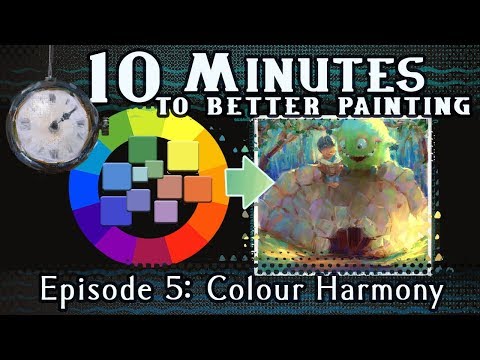
- I mean, even industry-leading graphics software, Adobe Photoshop, agrees the color wheel is round.
つまり、業界をリードするグラフィックソフト、アドビ・フォトショップでさえ、カラーホイールが丸いことに同意しているのだ。
- I mean, even industry-leading graphics software, Adobe Photoshop, agrees the color wheel is.
つまり、業界をリードするグラフィックソフト、アドビ・フォトショップでさえ、カラーホイールが丸いことに同意しているのだ。

良い形 - 描画力向上のための10分間 - エピソード4 (Good Shapes - 10 Minutes To Better Painting - Episode 4)
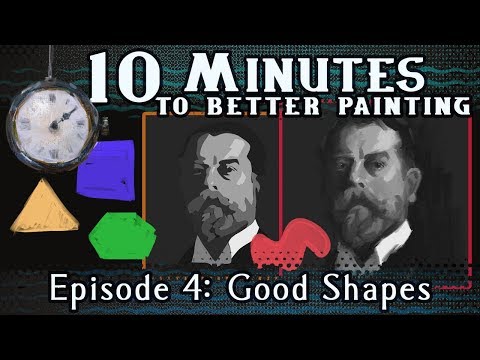
- And look at this: even if we zoom out in Photoshop, the shapes still...
何か意図的なものを感じるんだ。
- Even if we zoom out in Photoshop, the shapes still, they still read clearly.
Photoshopで拡大しても、形ははっきりと読み取れる。
フォトショ加工:写真の色かぶりを修正する方法 (Photoshop Tutorial - FIXING color casts in images)
- Now, even though they sometimes work, I am by no means suggesting that they are the best ways to adjust luminance data inside Photoshop, but they might be the most popular.
これらが常にうまくいくとは限りませんが、Photoshop内で輝度データを調整する最良の方法であるとは決して言えません。しかし、最も人気があるかもしれません。
- Now, even though they sometimes work, I am by no means suggesting that they are the best ways to adjust luminance data inside Photoshop, but they might be the most popular.
これらが常にうまくいくとは限りませんが、Photoshop内で輝度データを調整する最良の方法であるとは決して言えません。しかし、最も人気があるかもしれません。
ケシャのLEDライトスキンケア | Go To Bed With Me | Harper's BAZAAR (Kesha’s LED Light Skincare Routine | Go To Bed With Me | Harper's BAZAAR)

- and a lot of people would cover them up in post, like Photoshop them out and blur them.
ああ、とてもおいしいよ。
- So, I started getting into skincare when I was younger because I had freckles and a lot of people would cover them up in posts, like, Photoshop them out and blur them.
私は若い頃、そばかすがあったのでスキンケアに凝り始めたんだけど、多くの人は投稿の際にそばかすをフォトショップで消してぼかすんだ。
Photoshopチュートリアル - 画像からオブジェクトを削除する方法 (Photoshop Tutorial - Removing objects from images)
- Photoshop has a number of tools that make it easy to remove small distracting elements in an image.
Photoshopには、画像内の小さな邪魔な要素を簡単に削除できるツールがたくさんある。
- Photoshop has a number of tools that make it easy to remove small distracting elements in an image.
Photoshopには、画像内の小さな邪魔な要素を簡単に削除できるツールがたくさんある。
Web開発チュートリアル - Figmaでサイトのプロトタイプを作成 (Web Development Tutorial - Prototyping a site build with Figma)
- So those of you who are familiar with Photoshop, you'll notice this might look somewhat familiar.
Photoshopに慣れている方なら、これが少し見慣れたものだと気づくでしょう。
- So those of you who are familiar with Photoshop, you'll notice this might look somewhat familiar.
Photoshopに慣れている方なら、これが少し見慣れたものだと気づくでしょう。
Pixel 10a は Pixel 9a なのか? (The Pixel 10a is the Pixel 9a?)

- And it's not a Photoshop, by the way.
11シリーズでは、そうはしないでしょうね?
- And it's not a Photoshop by the way.
ちなみに、これはPhotoshopではありません。
宗教について誰も知らない7つの秘密 (7 Secrets about Religion nobody knows about)

- It's like Photoshop without having to learn Photoshop.
まるでフォトショップを学ばずに使えるようなものです。
- It's like Photoshop without having to learn Photoshop.
すべて編集可能なままなので、最初からやり直す必要なく、オンラインでデザインを調整できます。